AI coloring guide
How to turn a photo into a coloring page
A complete guide to converting portraits, pets, group shots, and everyday snapshots into clean, printable coloring pages — with tips for every type of photo.
Turn your photo into a coloring page
Upload a supported photo. Processing usually takes about a minute and can take longer when busy; no app install is needed.
Why turn photos into coloring pages?
A coloring page made from a real family photo can become a keepsake. Kids often enjoy recognizing themselves, pets and toys. New accounts include 2 free AI credits; later successful generations use a credit or an active Unlimited plan.
With Coloryx, you do not need Photoshop, Canva templates, or tracing paper. Upload a photo, pick an outline mode, and download a print-ready PDF.
The 4-step workflow
1. Pick a clear, well-lit photo
Daylight or soft indoor light works best. Avoid motion blur, heavy shadows, and tiny subjects. The clearer the photo, the cleaner the outline.
2. Upload it to the AI generator
Before upload, the browser re-encodes JPG, PNG or WebP and removes EXIF data. Generation then runs through Coloryx's private AI service.
3. Choose your outline mode
Detailed mode aims to retain recognizable hair, fur and facial features; results vary by photo. Simplified reduces complexity for younger kids or very busy scenes.
4. Color in the app or print at home
Color your page directly in the Coloryx app, or download the printable A4 PDF and print it at home. For US Letter, use the print-layout tool.
Photo-type tips for the best results
Portraits & selfies
Chest-up shots facing the camera convert best. Make sure the face is well-lit and unobstructed by hair, hands, or sunglasses. Detailed mode aims to keep eyes, smiles and hair texture recognizable; results vary.
Pets
Furry subjects look adorable as line art. Shoot at eye level in daylight and avoid backlit windows behind the pet. Simplified mode often works better for fluffy dogs and cats so the fur does not turn into noise.
Group photos
Family and sibling photos can work, but individual faces and details are less reliable than with one clear subject. Leave space between faces and keep everyone at a similar distance; results vary and subjects can still be distorted or omitted.
Toys, objects & crafts
Lego builds, stuffed animals, action figures, and hand-drawn art all make fun coloring pages. Place the object on a plain background and shoot straight on for the sharpest edges.
Nature & landscapes
Flowers, trees, and simple outdoor scenes can become beautiful nature coloring pages. Choose a photo with one clear focal point — a single flower beats a dense forest for line art.
Detailed mode vs. Simplified mode
Detailed mode aims to retain more detail and often suits portraits, older kids, and photos where recognizable features matter. Results vary by source photo.
Simplified creates fewer, bolder lines. It is ideal for toddlers, pets with busy fur, or any scene that looks too cluttered in Detailed mode.
Not sure which mode fits? Start with Detailed mode for portraits and detailed photos, and try Simplified for toddlers or busy scenes.
See it in action: photo → coloring page
Real examples of the kinds of photos that work best — and what Coloryx turns them into.
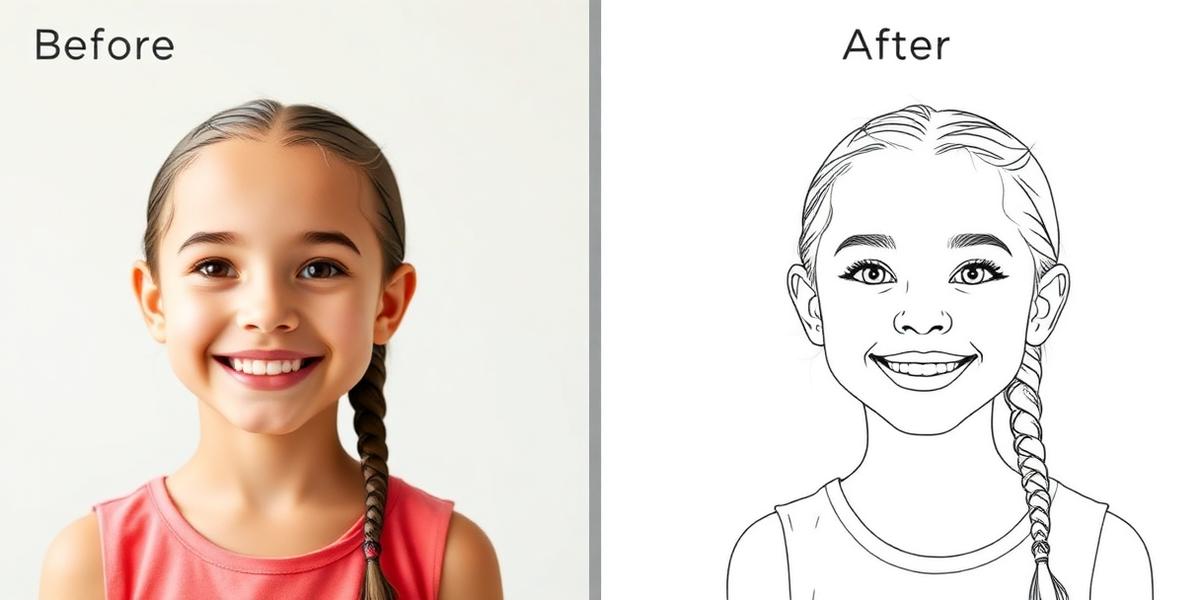 Portrait Try this type
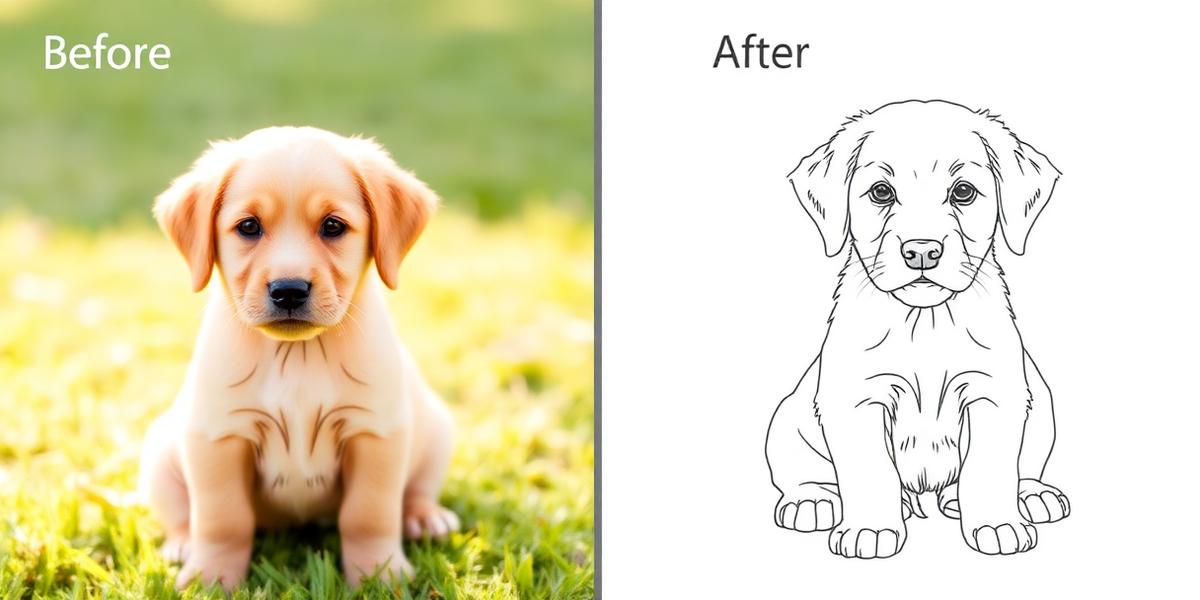 Pet Try this type
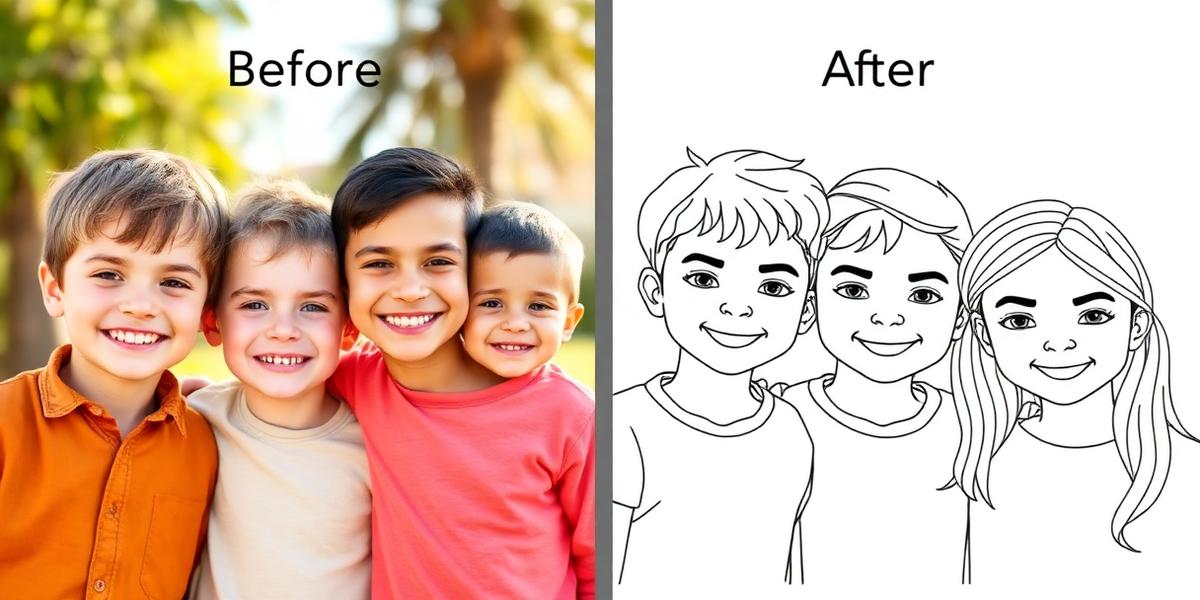 Group Try this type
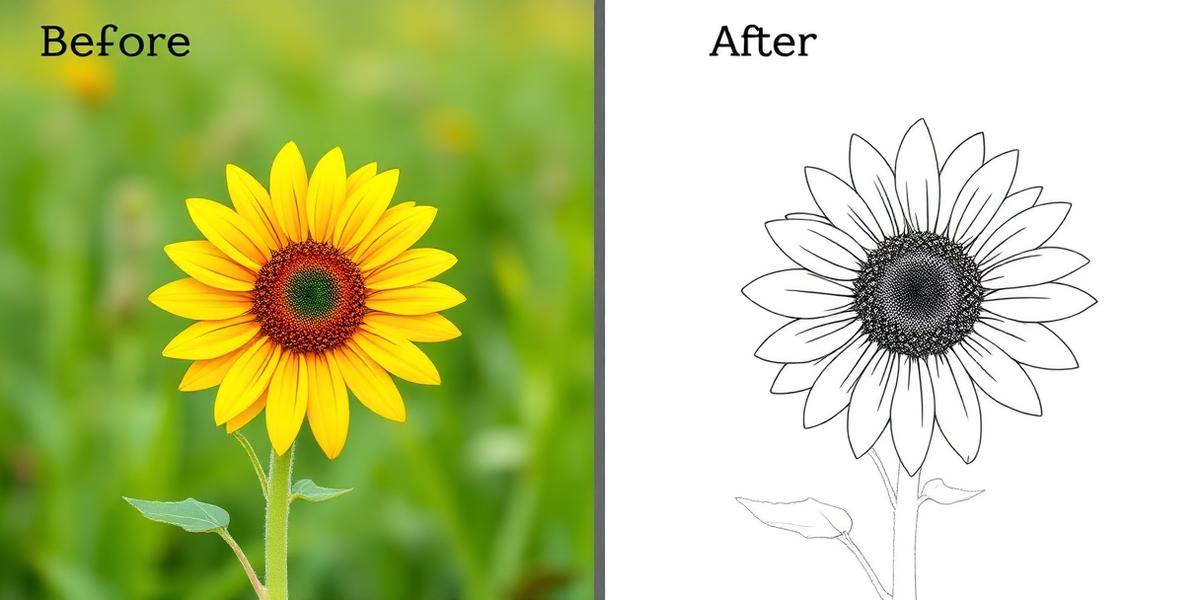 Nature Try this type
Quick photo checklist
- Use daylight or soft, even indoor light.
- Keep the main subject large in the frame.
- Avoid blurry, dark, or heavily filtered photos.
- For kids, try Simplified mode first — fewer lines, easier coloring.
- Simple backgrounds usually work best; avoid blur and very busy scenes.
Frequently asked questions
Which photos work best for a coloring page?
Portraits, pets, group photos, toys and simple landscapes can work. Clear, well-lit photos with one recognizable subject work best; output varies.
Can I try the AI generator for free?
Yes. Every new account receives 2 free AI credits. After that, each successfully delivered page uses one credit, unless Unlimited is active.
What is the best photo for a coloring page?
A well-lit chest-up portrait with a clear, unobstructed subject usually produces the cleanest outline. Results still vary by photo.
Can I print the coloring page at home?
Yes. Each generated result can be exported as a printable A4 PDF; the print-layout tool also supports US Letter.
How are uploaded photos handled?
The browser removes EXIF data before upload. The original stays private and is used for generation; deletion is requested when the attempt ends. If deletion fails, it can remain in private storage.
Related guides
More ways to turn everyday photos into printable coloring pages.

Ready to turn a photo into a coloring page?
Upload a supported photo and usually get a printable coloring page in about a minute; processing time and results vary.